














How to Choose the Right Laptop in 2026
Buying a laptop can be confusing because manufacturers use many different specifications to describe their products. A higher number does not always mean a better computer for your needs.
The right laptop depends on what you plan to do with it, how often you travel, how much storage you need and how much performance your everyday applications require.
Start With Your Main Use
Before comparing processors and specifications, identify the type of work you will perform.
- Basic work: browsing, email, documents and video calls.
- Study: research, office applications, online classes and presentations.
- Professional work: productivity applications, programming and business software.
- Creative work: photo editing, graphic design and video production.
- Gaming: modern games requiring stronger graphics performance.
Processor
The processor affects how quickly the computer can handle many tasks. Modern laptops from major manufacturers can provide enough performance for everyday work, but demanding applications require more powerful hardware.
Do not choose a processor based only on its model number. Look at the generation, architecture, performance class and the software you intend to run.
How Much RAM Do You Need?
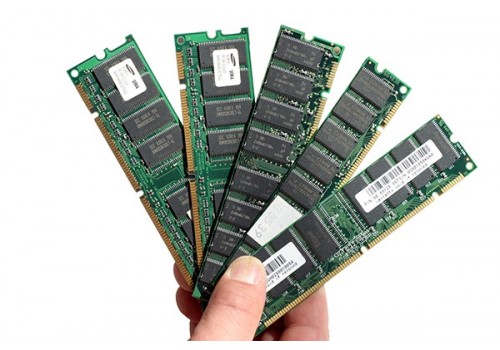
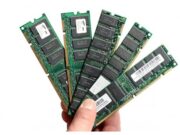
RAM affects how comfortably a laptop can handle multiple applications at the same time.
For basic work, a modest amount of RAM may be sufficient. Users working with demanding creative software, development environments or large projects should consider more memory.
If you regularly keep many browser tabs and applications open simultaneously, additional RAM can also make a noticeable difference to your workflow.
SSD Storage
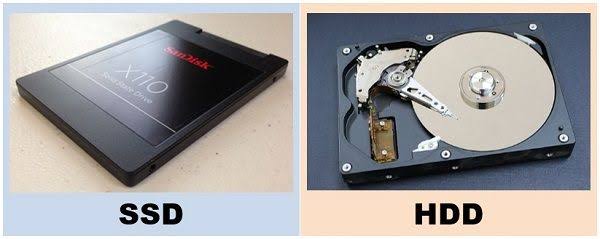
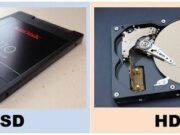
For a modern laptop, solid-state storage is generally preferable to a traditional hard disk because SSDs provide faster access to data and contribute to a more responsive system.
Consider not only the capacity but also whether the laptop allows storage expansion later.
Display
The display matters more than many buyers realise. Look at screen size, resolution, brightness, refresh rate and panel technology.
If you work with images or video, colour accuracy can be more important than simply having a high refresh rate.
Battery and Portability
A laptop intended for travel should be light enough to carry comfortably and provide enough battery life for your typical working day.
Remember that advertised battery figures are not necessarily equivalent to real-world usage. Your applications, screen brightness and network activity can significantly affect battery life.
Ports and Connectivity
Check whether the laptop has the connections you actually use, such as USB ports, HDMI, audio and other interfaces. Thin laptops may reduce the number of physical ports in favour of wireless connectivity or adapters.
Windows, macOS or ChromeOS?
Your operating system can influence software compatibility, hardware options and your overall workflow.
Before buying, verify that the applications you depend on are available and work properly on the operating system you choose.
Final Checklist
- Choose according to your actual workload.
- Check processor performance, not just the name.
- Consider RAM for your multitasking needs.
- Prefer SSD storage for a responsive system.
- Evaluate display quality.
- Check battery expectations.
- Look at ports and connectivity.
- Verify software compatibility.
- Consider repairability and upgrade options.
Final Thoughts
The best laptop is not necessarily the most expensive one. It is the machine that provides enough performance for your work while meeting your requirements for portability, battery life, storage and software compatibility.